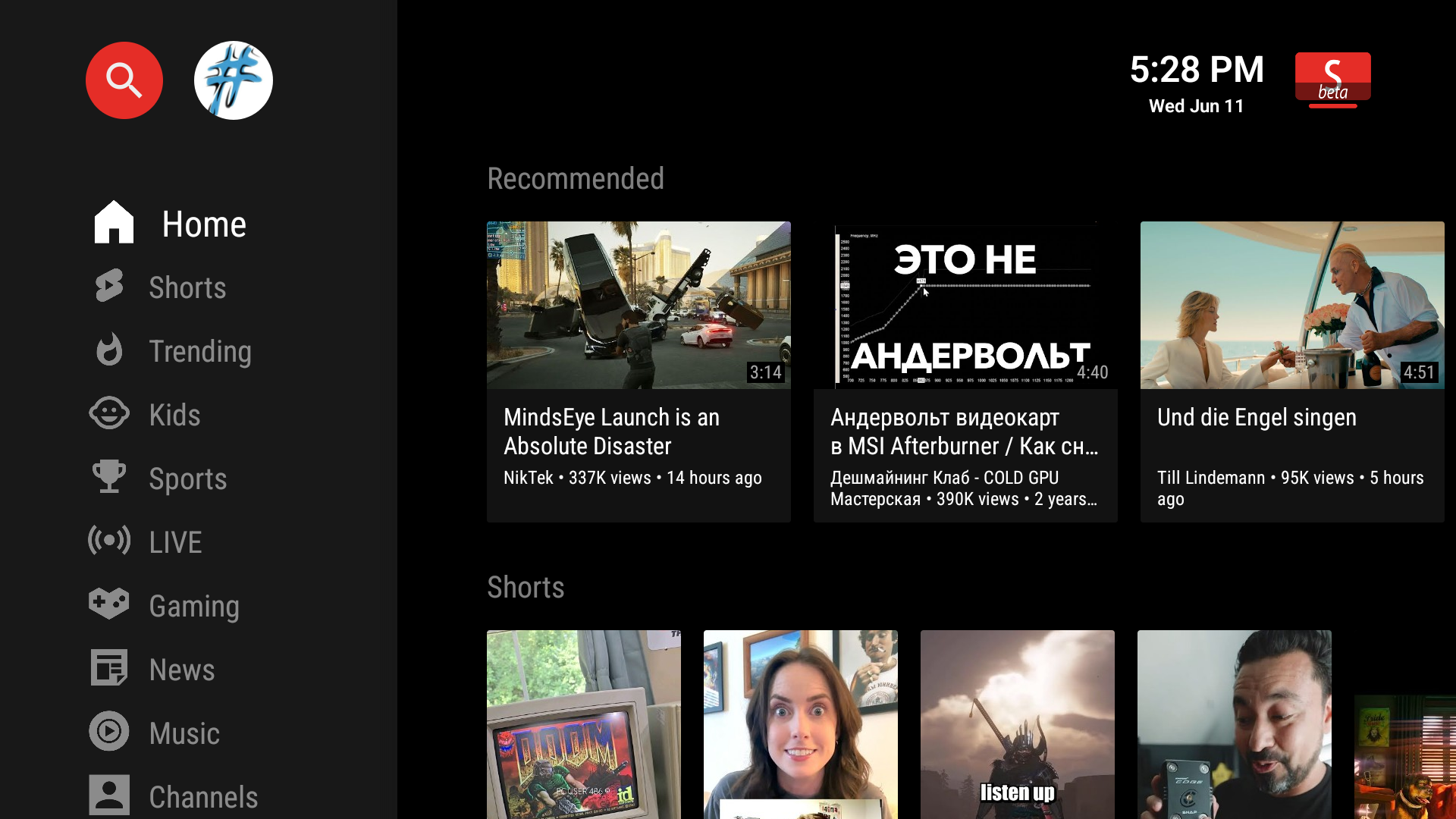
SmartTube Next Beta for Android 4.4.4 – Ad-Free YouTube on Older Devices
If you own an older Android TV or TV box running Android 4.4.4 (KitKat) and want an ad-free YouTube experience, SmartTube Next Beta is one of the best solutions available. This open-source app delivers smooth playback, high-quality streaming, and powerful customization — even on legacy hardware.
What is SmartTube Next Beta?
SmartTube Next Beta is a YouTube client designed for Android TV devices. The Beta release includes the newest features and bug fixes before they arrive in the stable version. While it may contain minor bugs, it offers the most up-to-date streaming experience.
Developer: Yurii (yuliskov)
Platform: Android TV OS (supports Android 4.3 and newer)
License: Free & Open Source
Why It’s Perfect for Android 4.4.4 Devices
- Lightweight & Optimized: Runs efficiently on low-spec hardware.
- No Google Play Services Needed: Great for devices without Google certification.
- Privacy Friendly: Open-source code with no hidden tracking.
- Extended Device Life: Keeps old TVs and boxes usable for modern streaming.
Key Features
- Ad-Free Viewing – No video ads or banners.
- SponsorBlock – Automatically skip sponsored segments and outros.
- Up to 4K Playback – Depending on device capability.
- Custom Themes – Dark, Light, and OLED modes.
- Background & PiP Mode – Multitask while watching videos.
- Offline Updates – Built-in updater without Google Play.
How to Install on Android 4.4.4
Method 1: Using Downloader
- Install the Downloader app (if supported) from Aptoide or other APK stores.
- Open Downloader and enter:
kutt.it/stn_beta - Download and install the APK.
- Open SmartTube Next Beta and start streaming.
Method 2: Manual APK Transfer
- Download the APK from smarttubenext.com on your PC or phone.
- Transfer the file to your TV via USB drive or SD card.
- Enable Unknown Sources in your TV’s settings.
- Use a file manager to install the APK.
Performance Tips for Android 4.4.4
- Set video quality to 720p or 1080p for smoother playback.
- Use a wired Ethernet connection if Wi-Fi is unstable.
- Disable animations in the app settings to improve responsiveness.
Final Thoughts
SmartTube Next Beta breathes new life into Android 4.4.4 devices, giving you an ad-free, customizable YouTube experience without requiring costly upgrades. Download it today from official sources and keep your old hardware useful for years to come.
Download Link: smarttubenext.com or kutt.it/stn_beta.